

Have you ever reached for your favorite app on your iPhone only to find it vanished into thin air? Like a magician’s trick gone wrong, the sudden disappearance of apps can leave anyone scratching their head. It’s not just you—this digital disappearing act has puzzled many users, turning everyday tasks into scavenger hunts.
Common Reasons Apps Disappear
Apps may vanish from an iPhone for several reasons. Understanding these issues helps users troubleshoot effectively.
Uninstalling Apps Accidentally
Users sometimes uninstall apps unknowingly. A simple tap or swipe in the wrong direction can lead to an unintentional deletion. Check the home screen, as it might be hiding in a folder or on another page. To confirm whether an app is missing, search for it using the iPhone’s search function. Finding apps this way might save time and prevent frustration.
Storage Management Issues
Limited storage space can also cause apps to disappear. When iPhones run low on storage, the system may automatically remove apps to free up space for updates or new installs. Users can check their storage in the settings menu to see what’s taking up space. Deleting unused files, photos, or temporary files often helps recover enough storage to bring back apps.
Software Updates and Compatibility
Updates can sometimes affect app visibility. Incompatibilities may arise when an iPhone’s operating system updates, leading to app crashes or removals. Users should regularly update their apps to maintain compatibility with the latest iOS versions. Ignoring updates might result in some apps disappearing or not functioning correctly after a software upgrade.
App Limitations
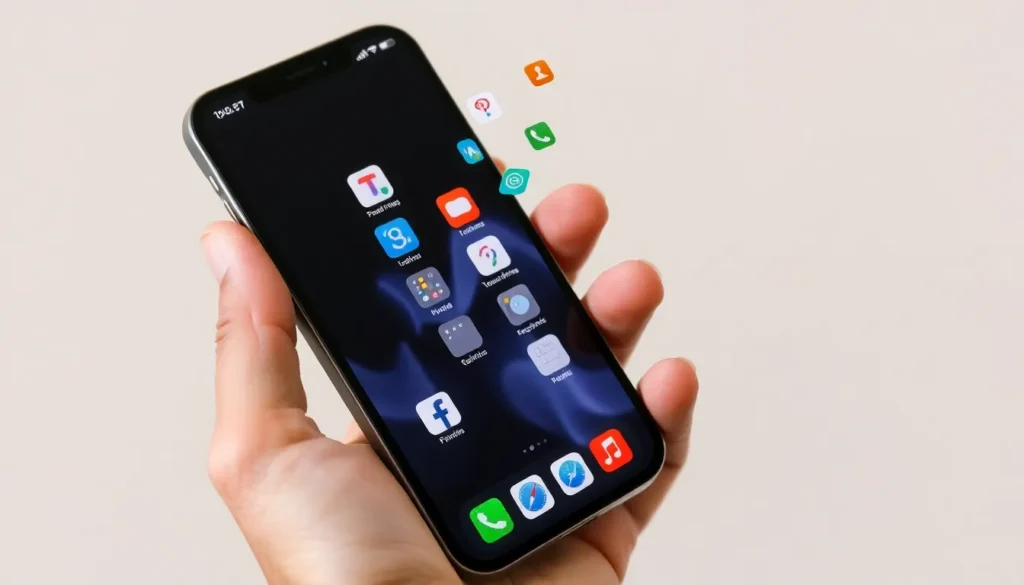

App limitations can lead to disappearing applications on iPhone devices. Various factors contribute to this issue, creating confusion among users.
Restrictions from Parental Controls
Parental controls often restrict app usage on iPhones. When this feature is enabled, it may block specific apps or prevent installations altogether. Users commonly overlook these settings, leading to unexpected app disappearances. Parents frequently utilize these controls to manage screen time and restrict content. It’s crucial to navigate to Settings, tap on Screen Time, and check any restrictions in place to restore access to missing apps. Adjusting these settings can quickly resolve app visibility issues without reinstalling.
App Deletion by System Settings
System settings can inadvertently cause app deletions on iPhones. Automatic downloads may remove unused apps to free up storage space. Users might find that their devices recommend deleting less frequently used applications due to storage management settings. Checking Settings under General, then iPhone Storage reveals which apps can be deleted or offloaded. Users can adjust these settings to prevent involuntary removals, ensuring their favorite apps remain accessible. By monitoring usage habits, individuals can maintain crucial apps while optimizing their device’s performance.
Troubleshooting Steps
To resolve issues with disappearing apps on an iPhone, users can follow several practical troubleshooting steps. These methods can help restore access to missing applications.
Restarting Your iPhone
Restarting the iPhone often resolves minor software glitches. Press and hold the side button along with the volume button until the slider appears. Slide to power off, then turn the device back on. This simple action can refresh the system, potentially restoring visibility to lost apps. By clearing temporary files and resetting connections, users may find the app they were searching for reappears.
Checking for Hidden Apps
Hidden apps may cause confusion for users unable to locate their favorite applications. Swipe down on the home screen to access the search bar, and type the app’s name. If it appears in the search results, tapping the app icon will open it. Another way to find hidden apps is by checking the App Library. Swiping left past the last home screen leads to the App Library, where users can search all installed apps neatly categorized.
Ensuring no parental controls or restrictions hide certain apps proves essential. By visiting Settings, users can navigate to Screen Time and review content restrictions that might prevent apps from visible access.
Preventative Measures
Taking steps to prevent app disappearance helps maintain app availability on an iPhone. Understanding these measures can enhance user experience and ensure important apps remain accessible.
Regular Backups
Backing up an iPhone regularly safeguards apps and data. Users can create backups through iCloud or iTunes. By doing so, restoring lost apps becomes straightforward. Automated backups can run daily, which reduces the risk of data loss. Accessing backup settings is easy — navigate to Settings, tap on your name, then select iCloud, and ensure iCloud Backup is activated. With scheduled backups, users stay protected against accidental deletions.
Monitoring Storage Space
Monitoring storage space allows users to keep their devices clutter-free. Checking storage regularly helps identify apps consuming excessive space. To view this, head to Settings, tap on General, and select iPhone Storage. Users can see a breakdown of app sizes, which informs decisions about unnecessary apps to delete. Deleting unused apps frees up valuable space for essential applications. Maintaining at least 10% of storage as free ensures smooth device performance. Staying aware of storage usage prevents unwanted automatic app removals.
Experiencing disappearing apps on an iPhone can be frustrating but understanding the reasons behind it can alleviate some of that stress. By checking settings and managing storage effectively users can minimize the chances of losing their favorite applications. Regular backups and updates play a crucial role in maintaining app accessibility and ensuring compatibility with the latest iOS versions.
Taking a proactive approach to app management not only enhances the user experience but also keeps devices running smoothly. With these strategies in mind users can confidently navigate their iPhones without the fear of unexpected app disappearances.


